Depth-Image-Based 3D Warping Viewer

Real-time image-based rendering from one RGB image and one depth image.

Hui Cui

Final Demo Video

Milestone 1 Video

First milestone video of the original progress

Introduction

This project is an image-based rendering viewer that creates a 3D warping effect from RGB-D data. Originally starting with single RGB/depth image pairs, it now supports multi-slab light fields. Instead of modeling a scene from scratch, the viewer reuses multi-view image data and proxy depth surfaces to synthesize novel camera views in real time.

The current system can load single views or multi-slab bundles, compress textures using Vector Quantization (VQ), and seamlessly transition between different viewing angles using Bilinear and Quadrilinear interpolation modes. It also supports adjusting camera parameters, tuning mesh resolution, and removing triangles near depth discontinuities to reduce artifacts.

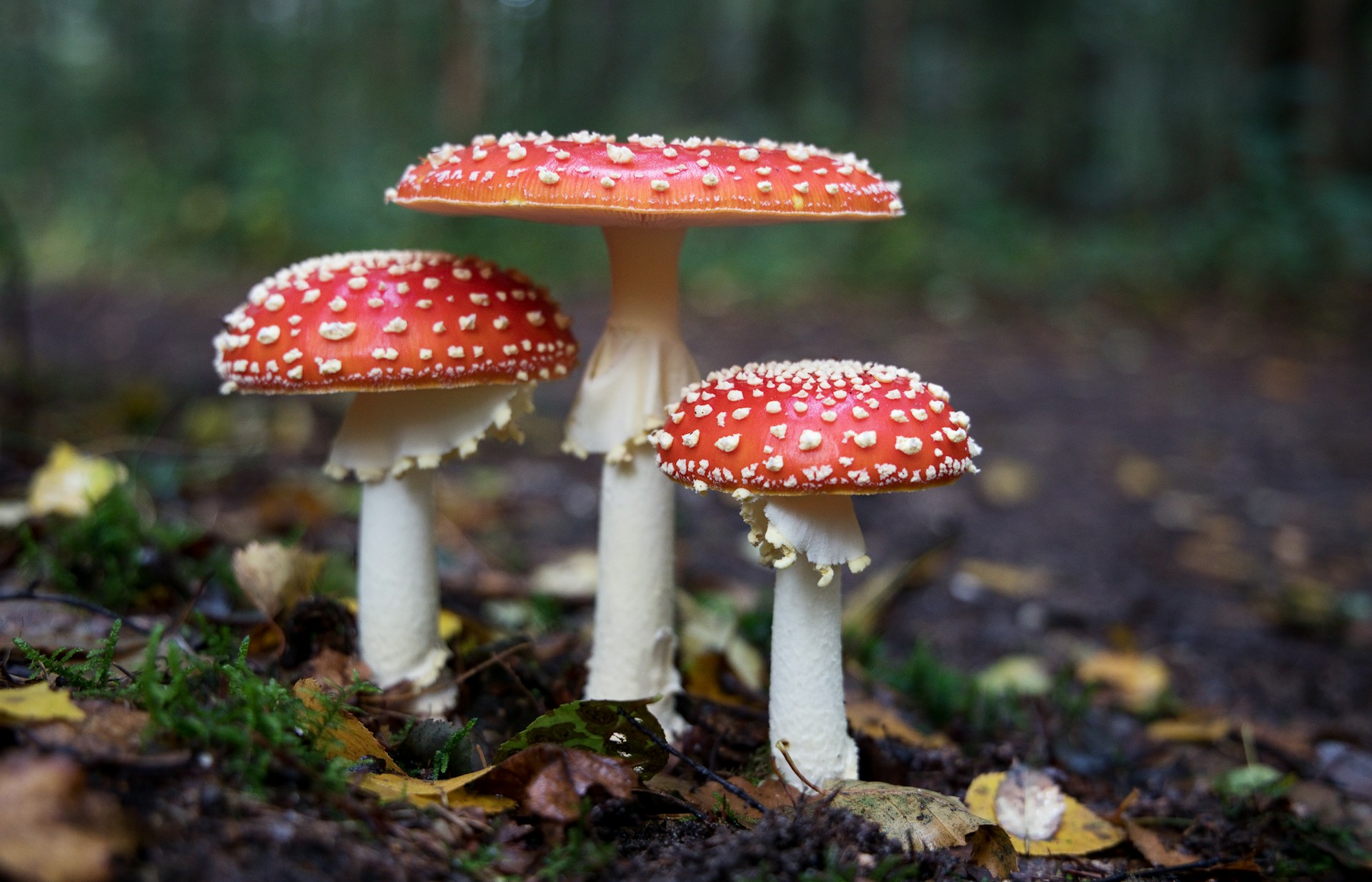
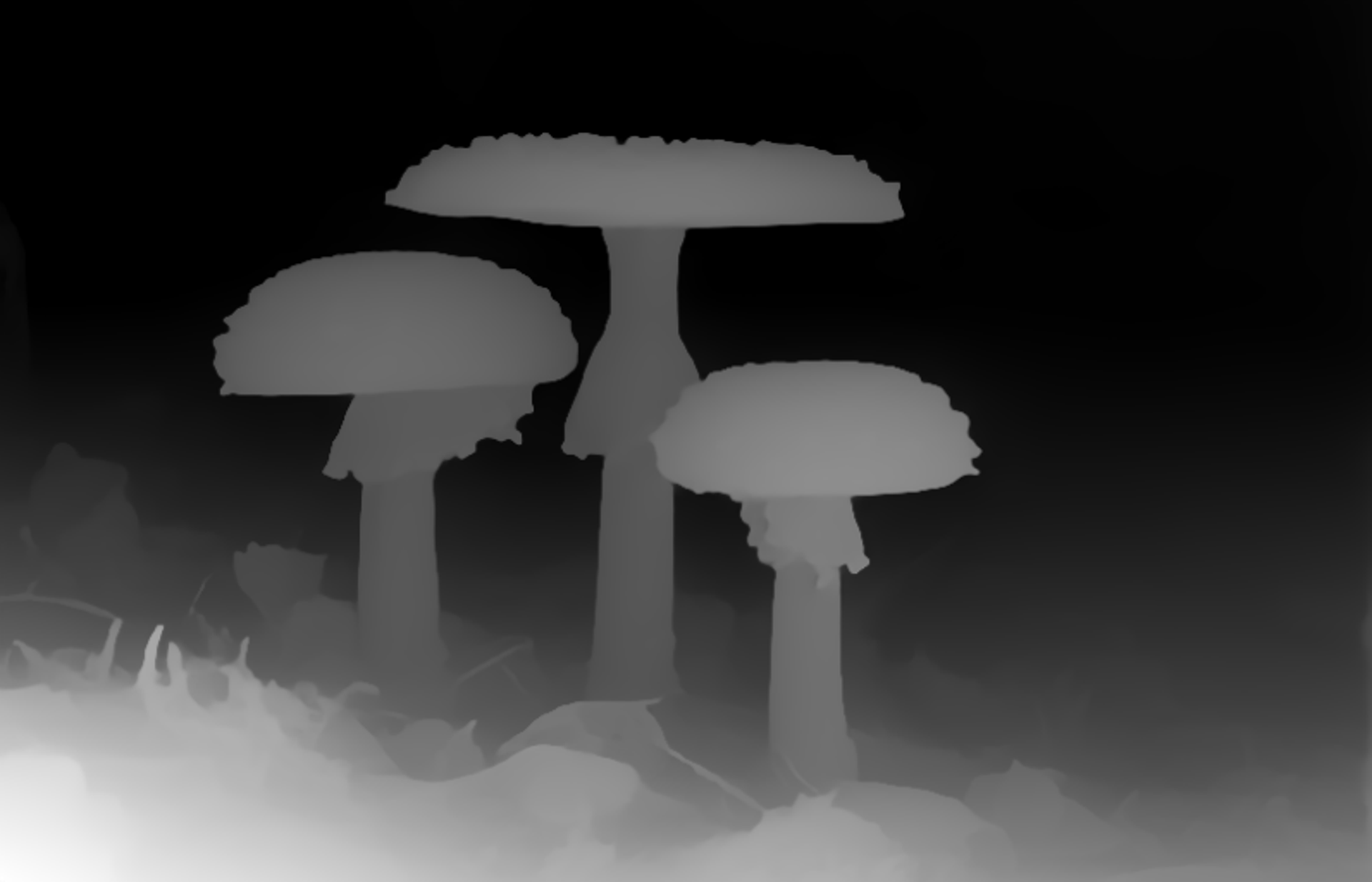
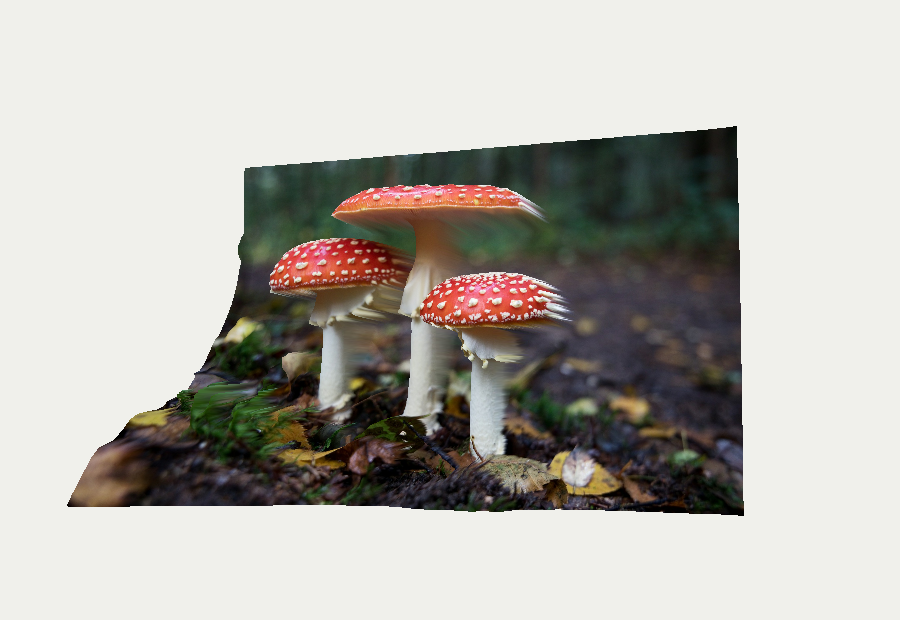
Milestone 1 results showcase

Input RGB image

Input RGB image

Input depth map

Input depth map

Warped mushroom result

Warped rendering result

Final Version Results Showcase

Multi-Slab Light Field blending with Quadrilinear Interpolation

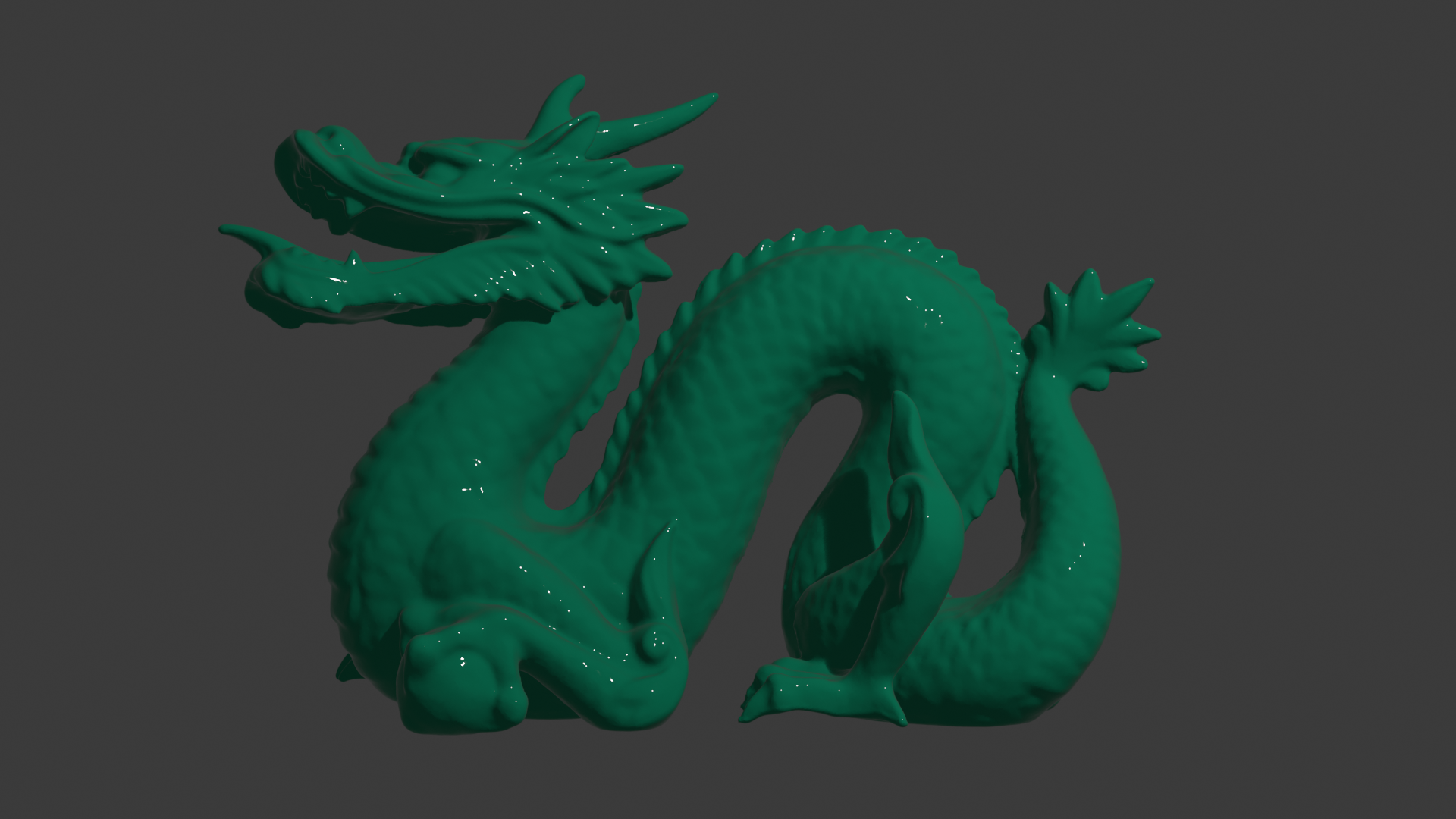
Front RGB image

Primary Input (Front)

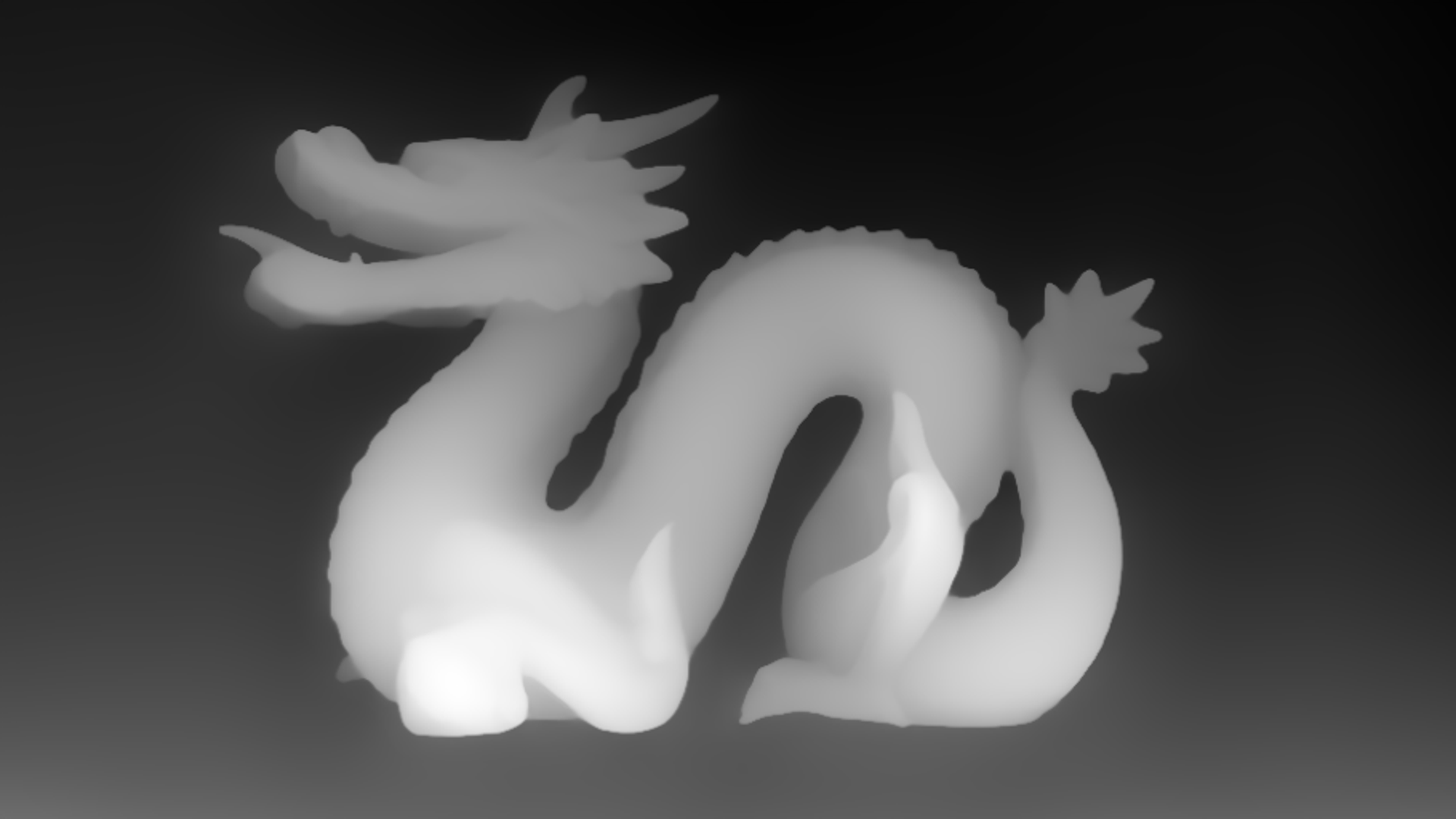
Front depth map

Primary Depth

Left RGB image

Secondary Input (Left)

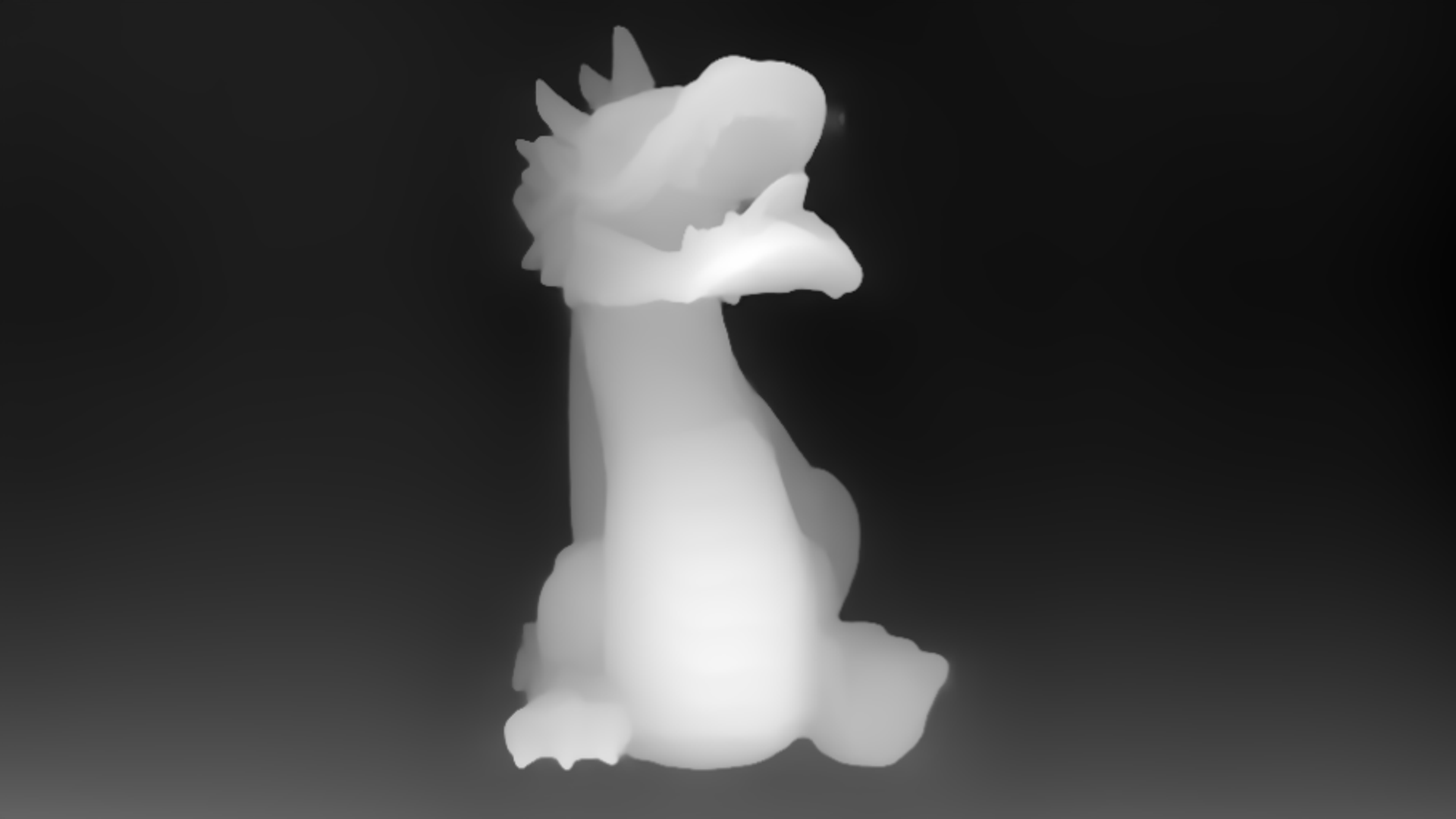
Left depth map

Secondary Depth

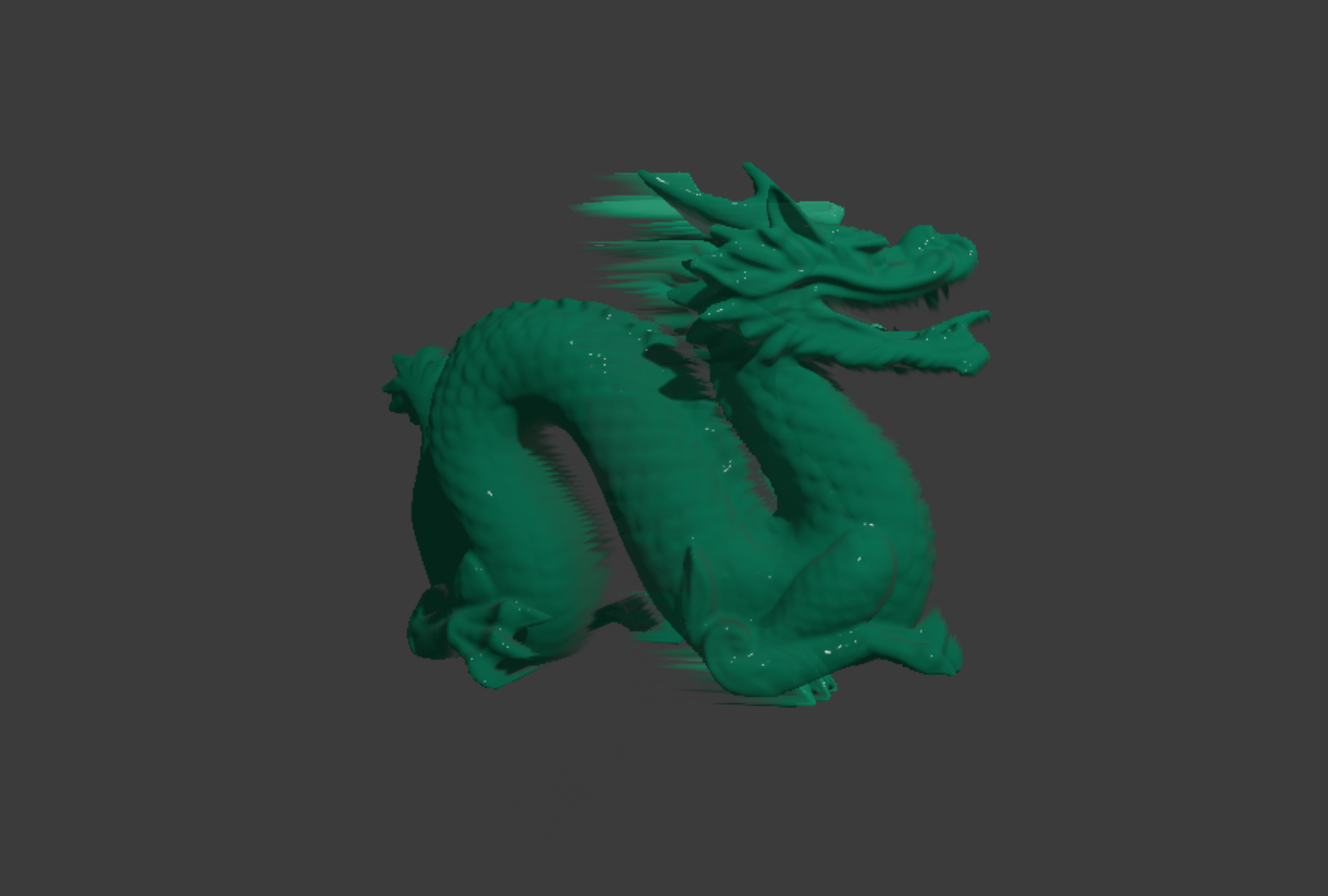
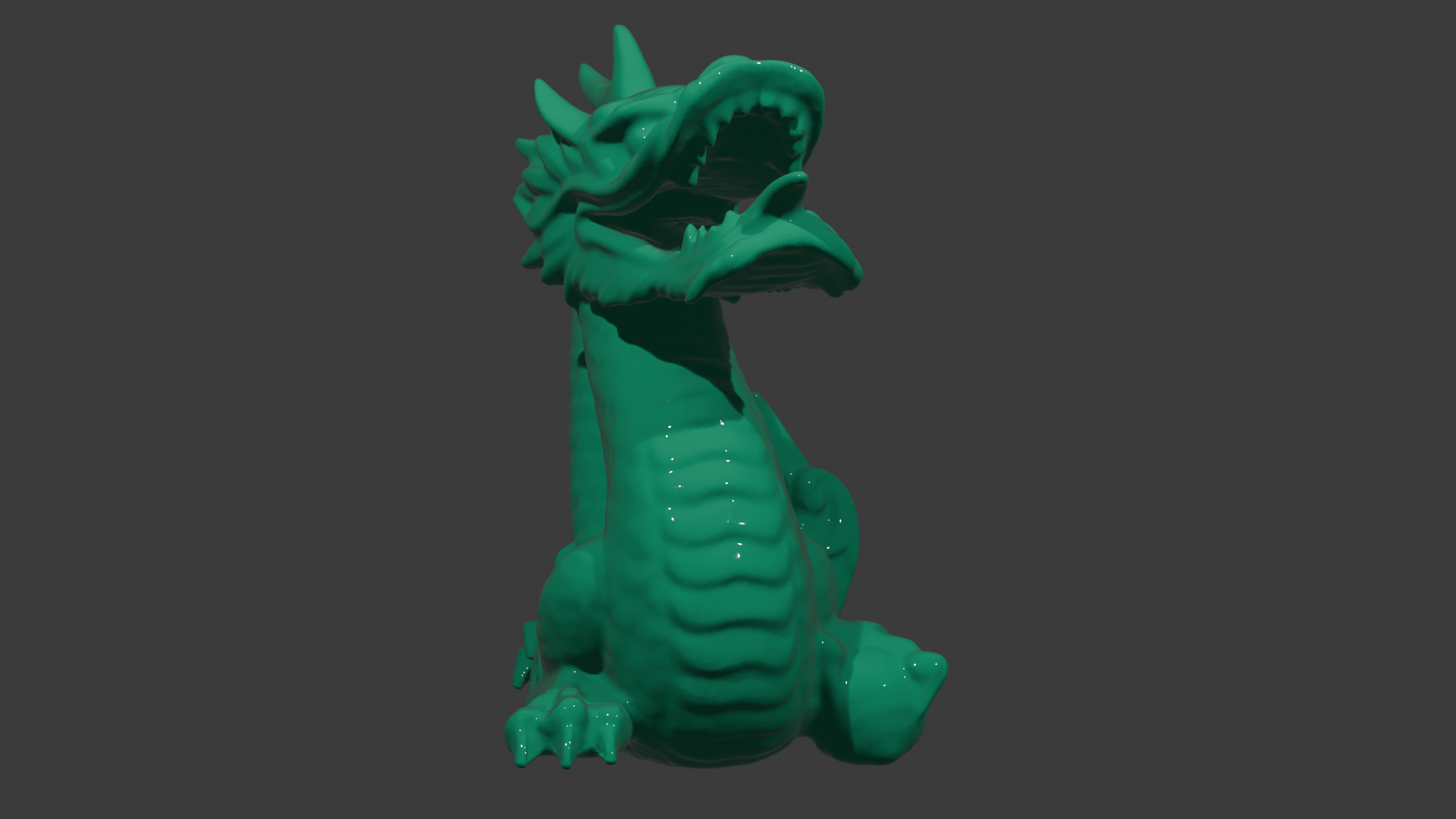
Warped dragon result

Blended Novel View Rendering

Conceptual Idea

The core idea is depth-image-based rendering. For every image sample, the RGB image provides color and the depth image provides a rough 3D position. A pixel coordinate \((u, v)\) is mapped to a point on a proxy surface:

\[ \mathbf{p}(u,v) = \begin{bmatrix} (u - 0.5)a \\ 0.5 - v \\ sD(u,v) + b \end{bmatrix}, \]

where \(a\) is the image aspect ratio, \(D(u,v) \in [0,1]\) is the depth value, \(s\) is the depth scale, and \(b\) is the depth bias. The color of this point is sampled directly from the original image:

\[ \mathbf{c}(u,v) = I(u,v). \]

The proxy mesh is then rendered from a virtual camera using a standard model-view-projection transform:

\[ \mathbf{x}_{clip} = PVM \begin{bmatrix} \mathbf{p}(u,v) \\ 1 \end{bmatrix}. \]

To reduce unnatural stretching, the mesh removes triangles whose depths differ too much. For a triangle with vertex depths \(d_1,d_2,d_3\), the triangle is kept only if

\[ \max(d_1,d_2,d_3) - \min(d_1,d_2,d_3) \le \tau, \]

where \(\tau\) is the depth tear threshold. This creates holes at strong depth discontinuities instead of stretching foreground texture into the background.

Multi-View Blending (Quadrilinear Interpolation)

To expand beyond a single view, the system supports multi-slab light fields. For a given virtual camera orientation, the renderer selects the two closest input slabs. Let their angular distances from the virtual camera be \(d_1\) and \(d_2\). The blend weight \(w\) for the secondary slab is computed as:

\[ w = \frac{d_1}{d_1 + d_2}. \]

The final pixel color \(C\) is an alpha-blended combination of the warped primary slab \(C_1\) and secondary slab \(C_2\):

\[ C = (1 - w)C_1 + w C_2. \]

Combined with bilinear spatial filtering on each proxy mesh, this cross-slab angular blending results in a smooth quadrilinear interpolation as the camera rotates.

Vector Quantization (VQ) Compression

To manage memory efficiently when loading multiple RGB-D views, the system optionally employs Vector Quantization (VQ) texture compression. Instead of storing full 24-bit RGB colors, the image is divided into \(2 \times 2\) pixel blocks. Each block is assigned a single 8-bit index \(k\).

During rendering, the fragment shader decodes the color for a pixel at offset \((o_x, o_y) \in \{0,1\}^2\) within the block using a lookup into a 1D color codebook:

\[ \mathbf{c}(o_x, o_y) = \text{Codebook}[4k + 2o_y + o_x]. \]

This achieves a 12:1 compression ratio for the image data, drastically reducing GPU memory bandwidth while maintaining high visual fidelity.

Pipeline

graph TD A["Input: Load single/multi-slab RGB-D views (VQ optional)"] --> B["Depth Conversion: Normalize depth values"] B --> C["Proxy Mesh: Sample grid and displace vertices"] C --> D["Artifact Reduction: Remove triangles at depth jumps"] D --> E["Rendering & Blending: Decode VQ, warp, and blend slabs"] E --> F["Interaction: ImGui camera & parameter updates"] F -.->|Loop| A
Implementation

The program is written in C++ with OpenGL. The code is organized into separate modules for image loading, depth-map editing, mesh construction, and rendering. The main loop first checks whether the depth map or mesh needs to be updated, then renders the current RGB-D mesh to an offscreen framebuffer before copying the result to the main window.

  • ImageResource: loads standard RGB images or VQ-compressed codebooks/indices, uploading textures to the GPU.
  • DepthMap: stores depth values, supports loading, painting, smoothing, and preview export.
  • DepthMesh: creates the displaced proxy mesh and removes triangles at depth discontinuities using spatial bilinear filtering.
  • LightFieldSlab: encapsulates a single RGB-D view (slab), its proxy mesh, and its original capture orientation.
  • WarpRenderer: renders multiple slabs to offscreen framebuffers, handles VQ decoding, and performs quadrilinear blending before displaying the final result.
  • Application: manages ImGui controls, multi-slab bundle loading, and the main update loop.

Depth Loading and Smoothing

The depth image is loaded as a normal image, but the viewer uses its luminance as the depth value. For each pixel, brighter values become larger normalized depth values in \([0,1]\). The optional invert setting flips this convention when a depth image uses the opposite meaning.

The Smooth current depth button applies a small local averaging filter to the current depth map. This is useful when the depth image has noisy pixels that would create jagged geometry. In simplified form, each updated depth value is computed from its neighborhood:

\[ D'(x,y) = \frac{\sum_{i=-1}^{1}\sum_{j=-1}^{1} w_{ij}D(x+i,y+j)} {\sum_{i=-1}^{1}\sum_{j=-1}^{1} w_{ij}}, \]

where the center pixel receives a larger weight than its neighbors. This makes the surface smoother, but it can also soften object boundaries, so it is best used lightly.

Depth Sampling and Interpolation

The proxy mesh usually has fewer vertices than the full image has pixels. For example, a \(160 \times 120\) mesh samples a much smaller grid than the original RGB/depth image. Because of this, the mesh does not simply choose the nearest depth pixel. Instead, it uses bilinear interpolation from the four closest depth samples:

\[ D(u,v) = (1-t_x)(1-t_y)D_{00} + t_x(1-t_y)D_{10} + (1-t_x)t_yD_{01} + t_xt_yD_{11}. \]

This interpolation avoids blocky depth changes when the mesh resolution is lower than the depth image. The RGB texture is also sampled smoothly by OpenGL during rendering, so the displayed result remains continuous even though the geometry is a finite triangle mesh.

Rendering and Cross-Slab Blending

After sampling the interpolated depth, each grid vertex is displaced along the \(z\)-axis using depth scale and depth bias. The mesh stores both a 3D position and a UV coordinate, so the original RGB image (or VQ-decoded texture) can be drawn directly onto the displaced surface. When sliders or brush edits change the depth values, the mesh is rebuilt and uploaded to OpenGL again.

To reduce stretching artifacts, each grid cell is split into two triangles only when its vertex depths are sufficiently similar. Finally, instead of simply drawing one mesh, the renderer evaluates the virtual camera's orientation against all loaded slabs. It selects the two closest slabs, warps them to the current perspective, and alpha-blends them using Quadrilinear interpolation. This provides a continuous, high-quality novel view without sudden transitions.

Controls

  • Multi-Slab Bundle Loading: browse and load a directory containing multiple RGB-D views (e.g., front, back, left, right).
  • Use VQ Compression: toggle Vector Quantization to significantly compress the texture memory of all loaded slabs.
  • Interpolation Mode: switch between Nearest, Bilinear (spatial only), and Quadrilinear (spatial + angular cross-slab) blending modes.
  • Depth scale / bias: control how strongly the depth map displaces the mesh.
  • Depth tear threshold: controls how aggressively triangles are removed at depth edges.
  • Background cutoff: sets the depth threshold beyond which background geometry is ignored.
  • Mesh columns / rows: control proxy mesh resolution.
  • Yaw, pitch, zoom, pan, FOV: control the virtual camera (extended ranges unlock full 360° orbiting in multi-slab mode).
  • Depth brush: edit depth values interactively on the individual slab thumbnails; right-drag smooths locally.

Future Additions

With the foundation of multi-slab light fields and quadrilinear blending established, the system now synthesizes continuous novel views from multiple angles. However, there are still several avenues for future enhancement:

  • Improving Input Data Quality: The rendering quality is heavily bound by the raw input data. Standard depth sensors often produce noisy, misaligned, or incomplete depth maps at object boundaries. Future work could integrate depth-map upsampling, hole-filling algorithms, or temporal smoothing to enhance the RGB-D inputs before they reach the renderer.
  • Advanced Mesh Representations: Instead of a fixed-resolution regular grid, the proxy mesh could be upgraded to an adaptive structure (like a quadtree) to concentrate triangle density precisely at depth discontinuities. Alternatively, Layered Depth Images (LDI) could be used to separate foreground and background pixels, solving occlusion boundaries more cleanly without triangle tearing.
  • Neural Network (NN) Enhancements: We can explore AI-driven rendering techniques. For example, a lightweight Convolutional Neural Network (CNN) could be applied in screen-space to automatically inpaint and synthesize missing textures in occluded "hole" regions. Looking further, the framework could incorporate Neural Radiance Fields (NeRF) or 3D Gaussian Splatting to achieve true photorealism for complex scenes.
  • Advanced Artifact Reduction: Although current strategies like triangle tearing prevent extreme texture stretching, they leave visible holes or jagged edges. Future work could implement sophisticated artifact reduction filters—such as edge-aware blending, view-dependent meshing, or temporal anti-aliasing (TAA)—to drastically reduce ghosting, popping, and structural artifacts during camera movement.

Build and Run

cmake --build build --config release
.\build\Release\IBR_Viewer.exe

References

  • Levoy and Hanrahan, Light Field Rendering, SIGGRAPH 1996.
  • Gortler et al., The Lumigraph, SIGGRAPH 1996.
  • Mark, McMillan, and Bishop, Post-Rendering 3D Warping, Symposium on Interactive 3D Graphics 1997. (Basis for proxy mesh depth warping).
  • Beers, Agrawala, and Chaddha, Rendering from Compressed Textures, SIGGRAPH 1996. (Foundation for Vector Quantization in graphics).
  • Buehler et al., Unstructured Lumigraph Rendering, SIGGRAPH 2001. (Concepts for cross-slab view blending).
  • Project-page framework adapted from the Academic Project Page Template.